The original links expired so i created new a link
(reason why it took so long because it was on my other PC and my sisters didn’t wanted me to switch

)
https://drive.google.com/drive/folders/1D4jB6Q8NdABSX1VzAGUdmwbfdGGYaVrv?usp=sharing
The original links expired so i created new a link
(reason why it took so long because it was on my other PC and my sisters didn’t wanted me to switch
)
https://drive.google.com/drive/folders/1D4jB6Q8NdABSX1VzAGUdmwbfdGGYaVrv?usp=sharing
I love makima!
BUMPING (also i updated my profile check it out  )
)
how do I use?
It works on windows only, are you on windows?
i cant tell if i am
mine says lenovo
Well… that’s the brand of laptop…
Windows is a operating system
wait im stupid. i don’t have windows
I love ur pfp! (pikachu w/ kandi is so cute!)
Thank you
bump
No bump. 
can anyone share the link for me i need the cursor so bad {makima one}
I see it’s still shared in the first post
That already could be used with out Windows app
How can I make the cursor show? there is no install file like when downloading other cursors (I need with Makima)
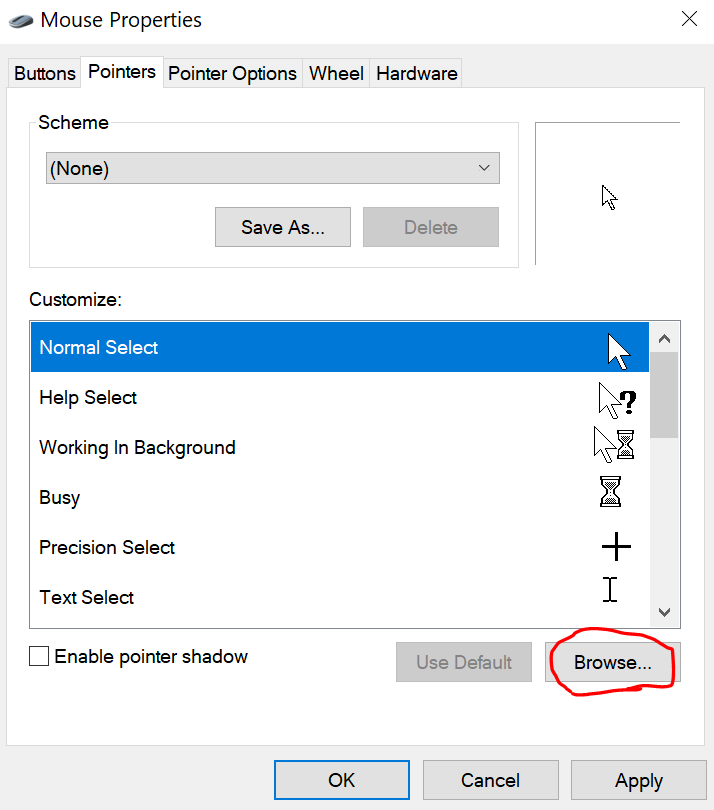
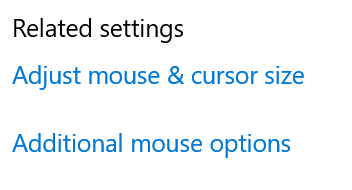
You need to create a folder, include the cursors in it, go to the windows folder and look for the cursor folder, then you can go to mouse properties
You gotta click on “none” on the scheme, then click on browse